🐦 The two most important posts Pip has ever written
Part 1 of 2. By next Tuesday you'll change the way you work forever. This is a promise, and Pip does not hand those out lightly.

Once a week Pip delivers a short post with AI tips, copy-paste materials, and work shortcuts made specifically for real estate agents.
No theory, no fluff - just actionable stuff to use right away.
Pip does not do hype.
In all of the weekly emails so far, Pip has never once said “this will change everything.”
You know the drill by now: one useful trick, no fluff, lunch is on Pip if it flops 🍞
So read the next line knowing Pip is not the type to say it lightly.
This post, and next week’s, are the two most important Pip has ever written.
Together they will change the way you work, permanently.
By next Tuesday you will be doing your job in a way that puts you in the top 5% of professionals using AI.
And you will understand exactly how Pip just saved you $6000.
(No, that is not a made-up “$6,000 value!!” gimmick. It is a real number, with a real story, and Pip has the receipts to prove it.)
This is Part 1. Follow along with both. Here is what changes today.
Today’s delivery:
🧠 Chatbot vs agent: the one distinction 95% of people miss
🔧 How to switch in 5 minutes
🗂️ Your first agent task: point it at a folder and watch it work
Let’s dive in.
🧠 There are two kinds of AI
ChatGPT, Codex, Claude, Claude Code - you've heard of these terms before.
There are a few more, but these are the “main” players everyone mentions these days.
The labels confuse EVERYONE. So first let’s clear that up.
AI models are the brain - and they’re always the same no matter how and where you access them. They get smarter with each update and they have numbers in their names (ChatGPT 5.5, Claude Opus 4.8, etc)
The only difference is HOW and WHERE you use these.
And that’s where the split between casual vs professional work happens.
Chatbot vs Agent
In a nutshell:
Chatbots - live online, you open the website, log in and chat.
Agents - live in an app on your computer. Same as chatbot, but you open the app instead of a browser.
Claude and ChatGPT are chatbots. Type a message, get an answer. Easy, no setup, no manual.
Claude Code and Codex (ChatGPT's app) are agents. Same companies, same brain/AI model underneath, but different use case.
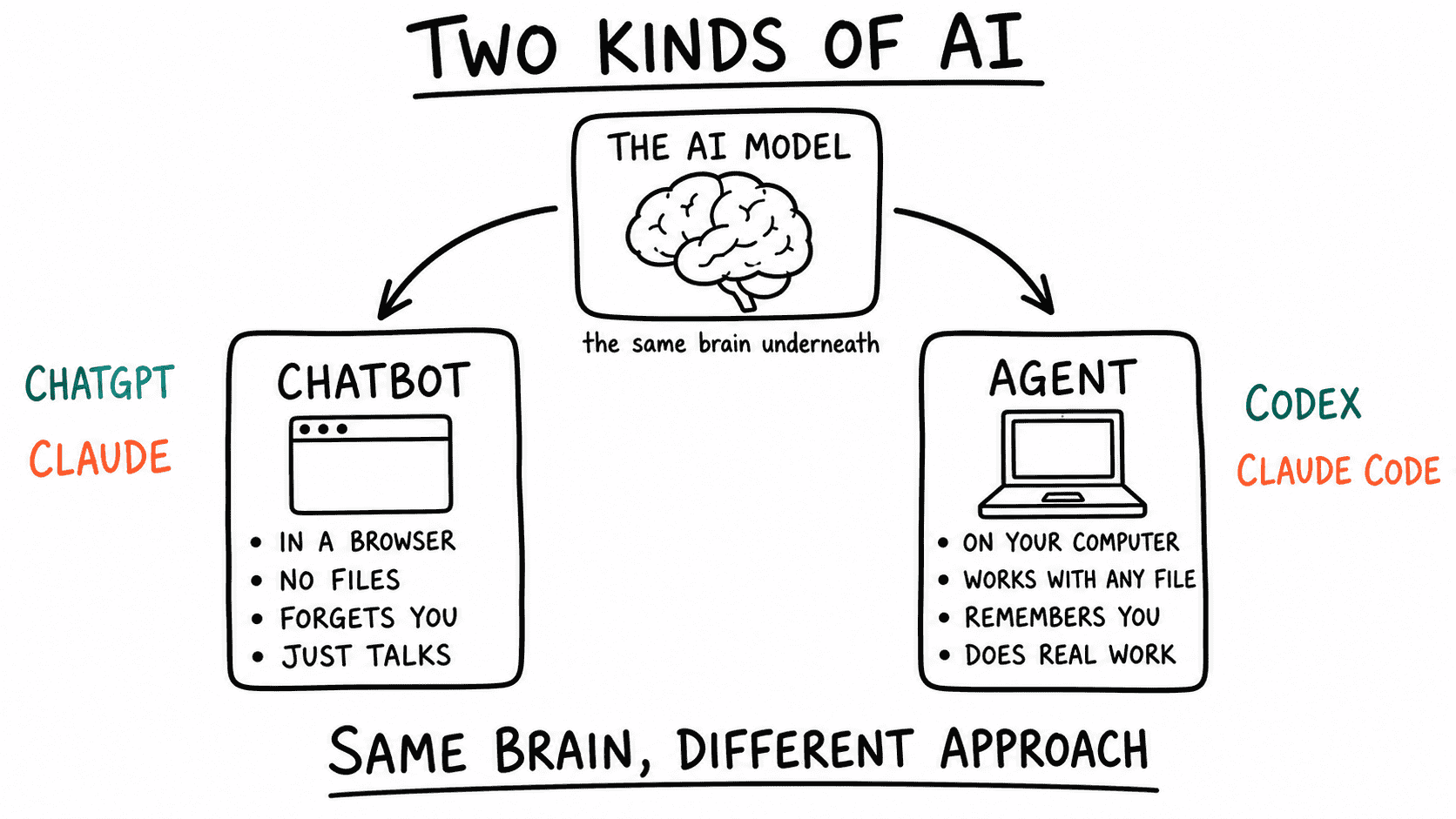
Here is the part nobody explains.
Chatbots are just the front door. The AI companies made them dead simple on purpose, so millions of people would try AI without being scared off.
That was smart. And honestly, they are great for quick stuff - Pip has shared a whole year of chatbot tricks and stands by every one.
But chatbots have a catch you have definitely felt: they forget your work.
Every new chat starts from zero.
You re-explain your market, your tone, your clients, your listings. Again. And again.
Agents are different, made for professional work.
Same model, same chat window, but an agent has a memory and works with the files on your computer that you point it to.
It reads files. It looks up your past work. It picks up exactly where you left off.
It gets better the more you use it, instead of resetting every time.
You stop re-briefing. You just do your work without wasting time.
🐦 The truth: about 95% of people still use chatbots, only because they came first and they are the easy default.
But the AI underneath is the same. The chatting experience is the same.
Learn to use an agent properly and you’ll be in the top 5% of professionals using AI.
And it’s way easier than it sounds.
🔧 The switch takes about 5 minutes
Theory is cool, but Pip loves practical examples.
Here is the real difference between chatbot and agent - exact same prompt on both.
Here is the chatbots response:
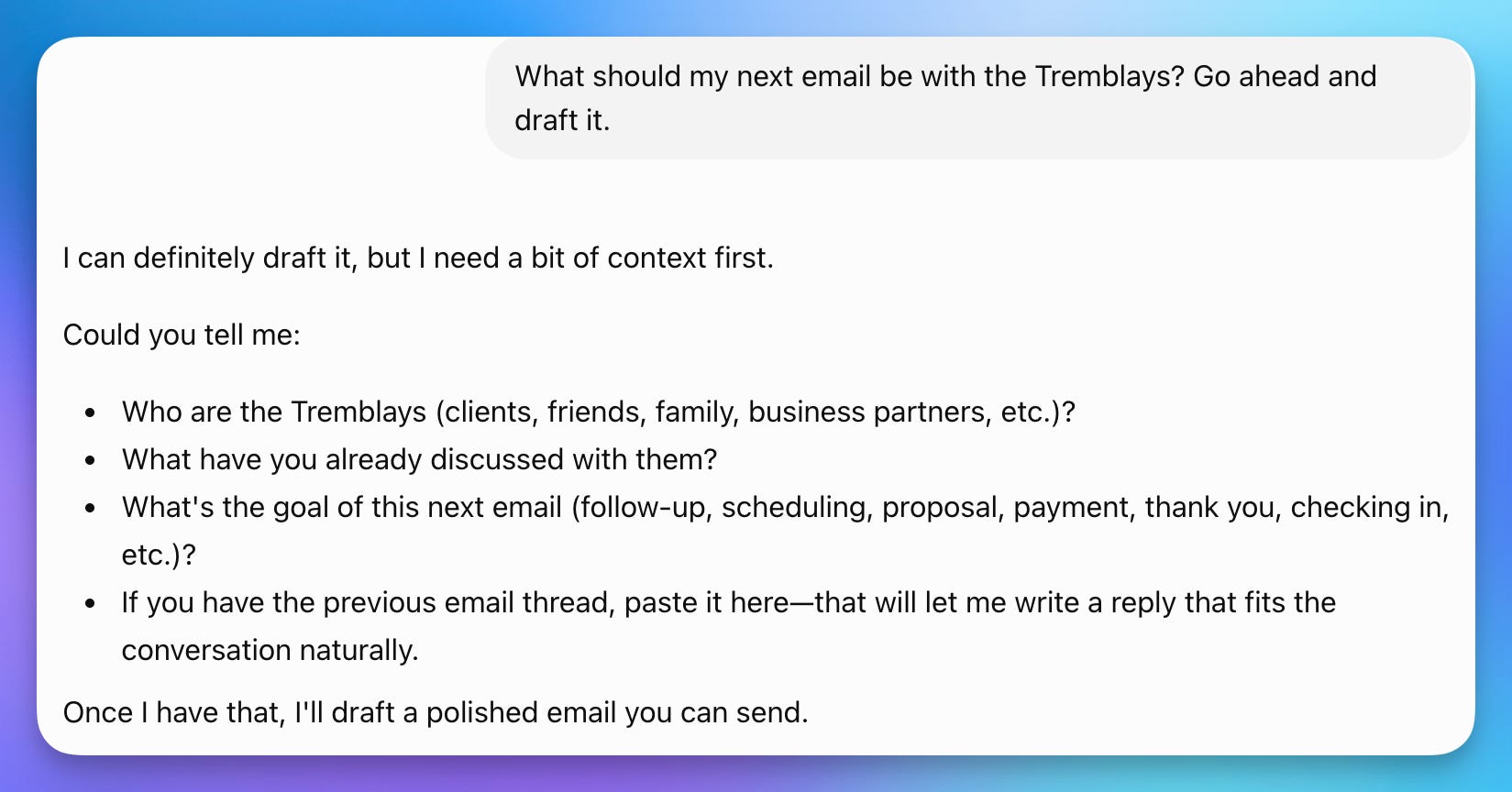
A list of 3 questions to answer + examples of the style you want.
You’ll probably draft the email faster yourself - and maybe ask AI to polish it.
Now the agents response, exact same prompt:
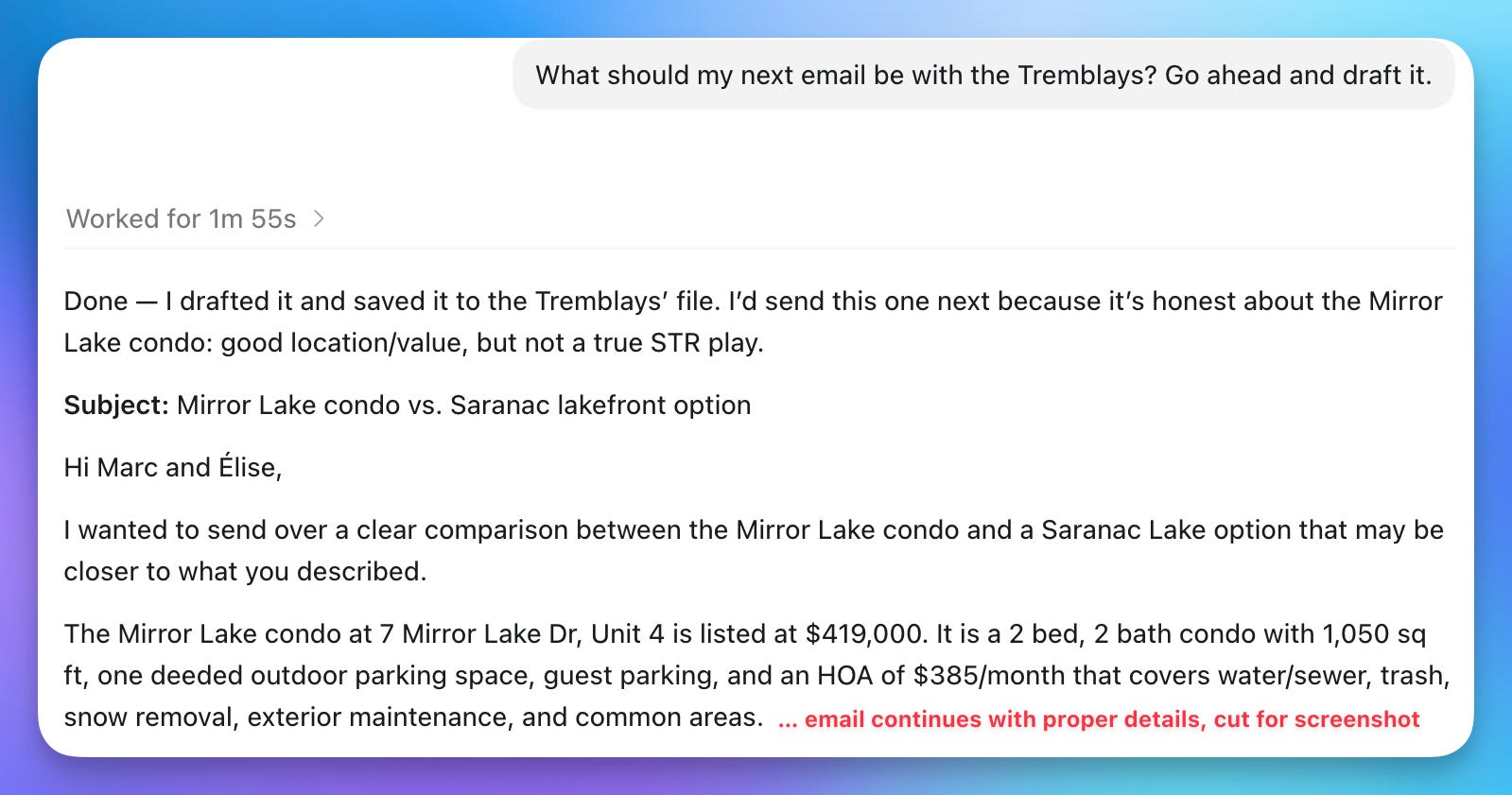
A full comparison email, with all correct details - in less than 2 minutes.
The magic happens behind the scenes.
Sit back and watch it work step by step. Here is what it looked like while it was working on the email above:
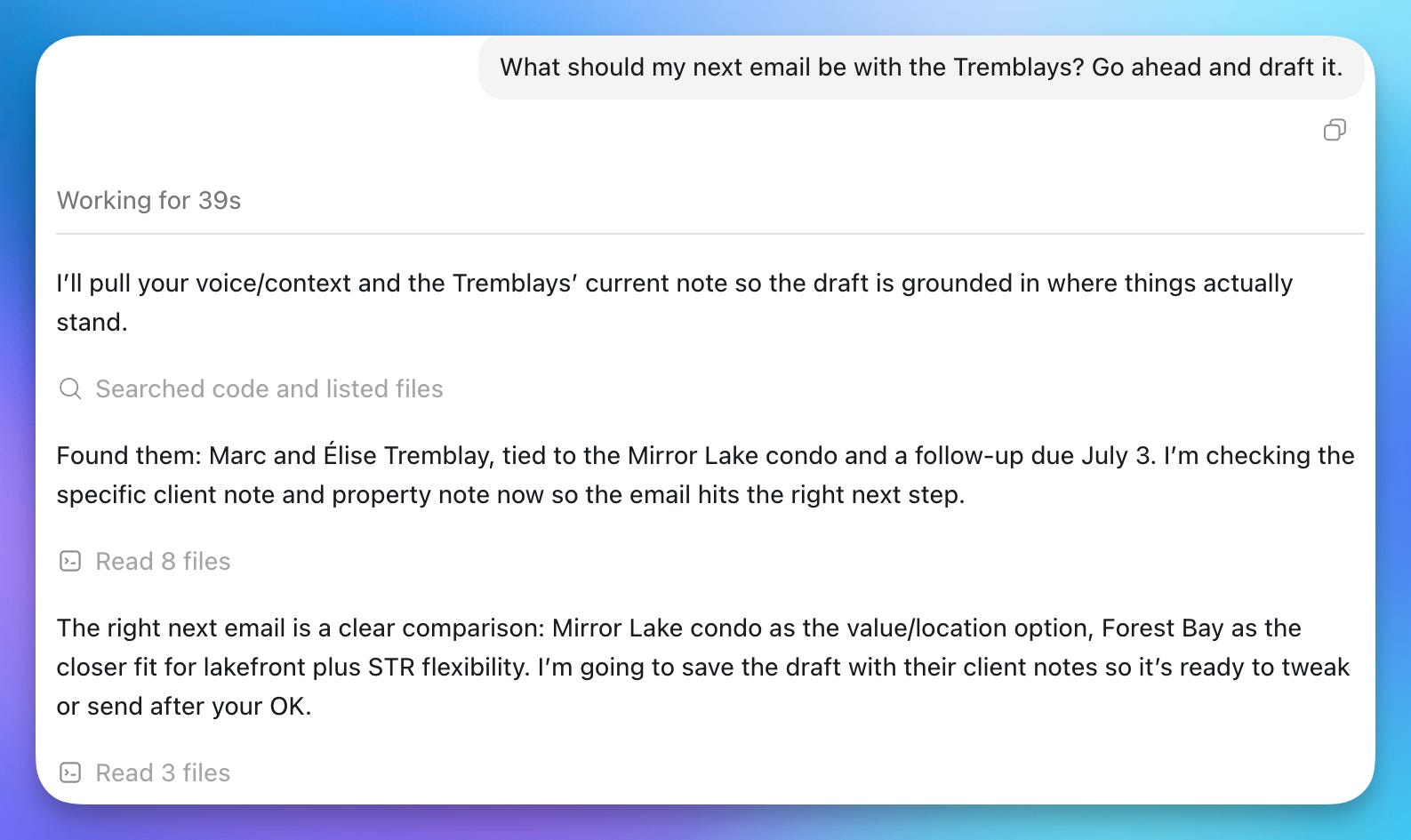
It looked for:
client notes,
past conversations,
saved listing details,
established writing style
It didn't waste time asking, it figured out what to look for and where to find it on its own.
🐦 Note: Pip’s result looked this good because agent had folder with info to pull from. Your very first run will be simpler, and that’s normal. It’s knowledge grows as you feed it your real work.
And the good news - you are one download away from this.
If you already use Claude or ChatGPT, the agent is already included.
Codex app runs on the free ChatGPT plan, so this costs you nothing to try.
How to install it
Step 1: Get the app.
Download the Claude desktop app: https://claude.com/download
Or if you like ChatGPT, get the Codex app: https://openai.com/codex/
Step 2: Point it at a folder.
Make a fresh folder on your computer called something like “Real Estate AI” and drop a couple of real files in it.
A CSV of leads, a past listing write-up, an inspection report, whatever you have lying around.
In Claude: open the app, click the Code tab, start a New Session, and pick a folder.
In Codex: open the app, start a New Session, and pick a folder. (It looks almost the same on both, just no Code tab to click)
That folder is now the agent’s workspace.
Step 3: Ask it to do something real.
Try one of these, plain and simple:
“Read the CSV in this folder and tell me which leads I never followed up with.”
“Summarize this inspection report in plain English, then list anything a buyer would worry about.”
“Read my last three listing descriptions and tell me what my writing style is.”
It opens the actual file and works from it.
No copy-paste, no re-explaining.
⚠️ And before you worry: the agent asks permission before it touches anything. Nothing gets opened, changed, or saved without your say-so.
You can poke around with zero worry of it doing something you did not ask for.
This is not some fringe experiment, either.
Per OpenAI, more than 5 million people use Codex every week:
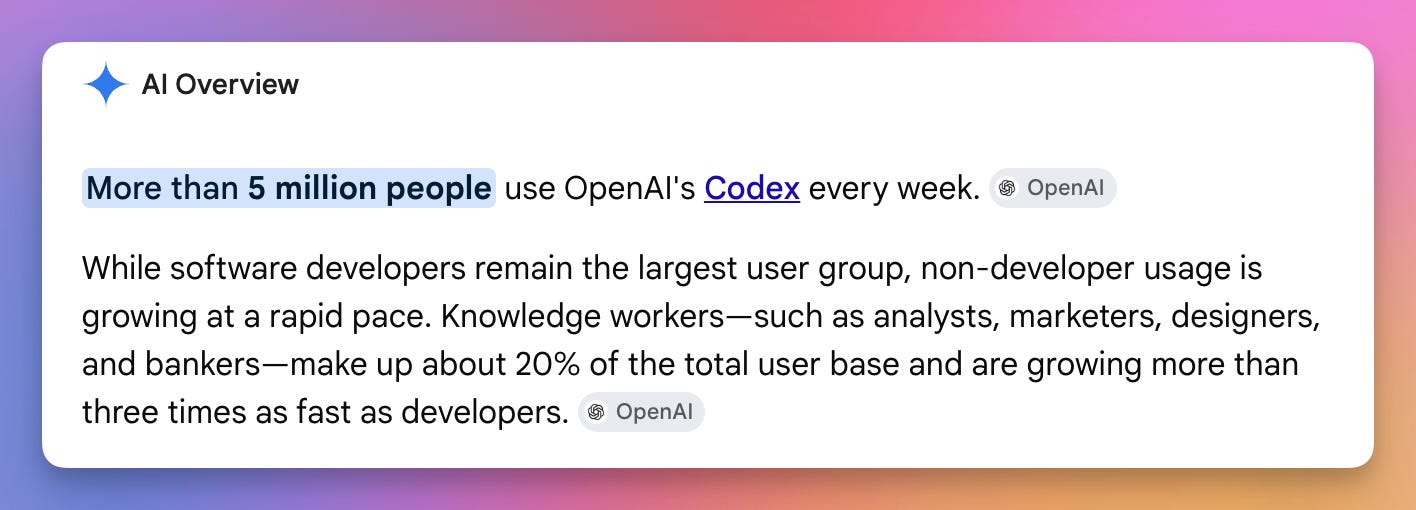
And don’t let the “Code” part scare you.
This is just the way they marketed the app in the early days - since software developers were the first ones to use it.
The fastest growing adoption group is knowledge workers: analysts, marketers, designers, bankers.
And now is the time for real estate agents to join the party.
Now the part Pip has been sitting on 🤫
For a while now, Pip has been working with developers on something big.
Built specifically for real estate agents like you, and it is almost ready.
A done-for-you real estate AI agent - the setup, the files, the instructions, the memory, all of it.
You can skip the setup and get straight to business, with an agent that knows you from day one.
It will be ready by next Tuesday. That is when the “$6000” line from the beginning will make complete sense.
And again, no inflated nonsense. A real number, a real story (real dev receipts!! 🥲)
So when next week’s email lands, be sure to read it. It is Part 2, and it is the one that REALLY changes things.
For today, just do the switch.
Install the app, point it at a folder, do one real workflow.
That alone puts you ahead of 95% of your competition.
Till the next delivery,
Pip